





Ticket Details

Con't find an answer?

Need Assistance? Submit a Support Ticket

Submit a Support Ticket
Gary Hayden
Gary Hayden 25 Jun 2026
DTRadio - Online Radio, Podcasts & Live Events Flutter App (iOS - Android) with admin panel
public

Q : Radio, Music, Audio

How do we preview our Radio url stream or any audio in the control panel. We should be able to test the streams/audio before deploying apps etc.

Add Attachments .png  .jpg  .jpeg  .docx  .mp4  .mp3  .pdf  .zip  .sql
Replied (21) 16–20 of 21
Mr. Chirag
Mr. Chirag admin 26 Jun 2026, 4:35 AM

Our app supports live streaming URLs such as HLS and M3U8 for playing live stream content. You can enter your live streaming URL, like M3U8 or HLS, as an External URL, and it will play within the app.


Currently, Icecast, Shoutcast, and AzuraCast are not integrated. If you require these features, customization may be considered.

Regards, Mr. Chirag

Gary Hayden
Gary Hayden 25 Jun 2026, 6:13 PM

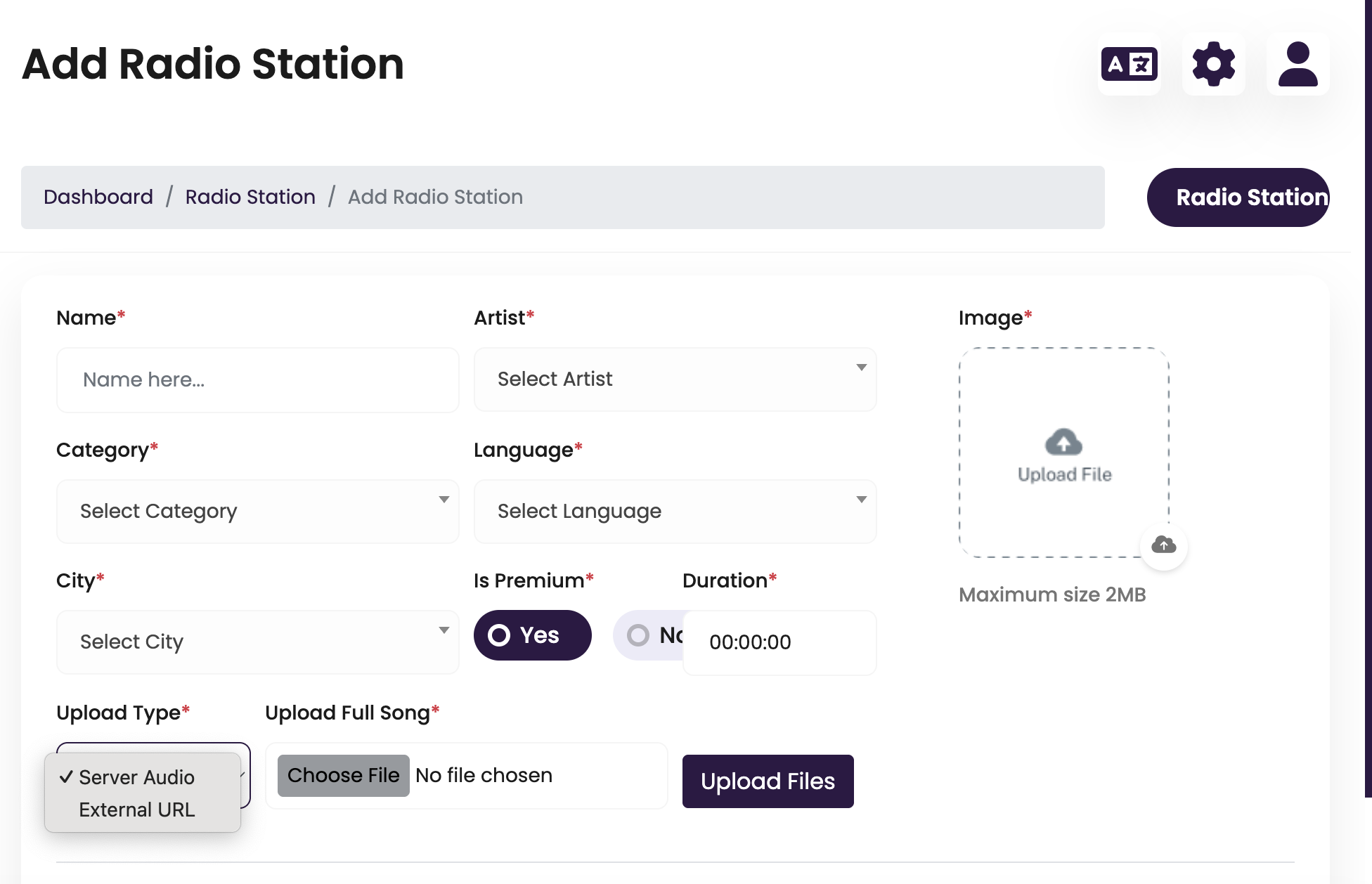
"I noticed the Radio Station form includes fields like Duration and Upload Full Song, which are typically used for audio files. Is the Radio Station module designed for continuous live streams (Icecast/Shoutcast/AzuraCast), or is it built on the song module? If it supports live streams, how should the Duration field be handled?"

Gary Hayden
Gary Hayden 25 Jun 2026, 6:12 PM

"I noticed the Radio Station form includes fields like Duration and Upload Full Song, which are typically used for audio files. Is the Radio Station module designed for continuous live streams (Icecast/Shoutcast/AzuraCast), or is it built on the song module? If it supports live streams, how should the Duration field be handled?"

Mr. Meet
Mr. Meet employee 25 Jun 2026, 12:30 PM

Thank you for your message. The Preview button is designed to stream the station directly. HTTPS MP3 stream URLs are supported. To assist you further, could you please share your server credentials and Admin Panel URL along with login details privately? This will help our team investigate the issue more effectively.

Regards, Mr. Meet

Gary Hayden
Gary Hayden 25 Jun 2026, 12:25 PM

"The stream URL is valid and plays directly in a browser. The station is saved successfully. When I click the Preview button in the admin panel, nothing plays. Is the Preview button intended to stream the station directly, or does it only work after configuring Home Page Banner & Section? If it should stream directly, what are the supported stream URL formats (Icecast, Shoutcast, AzuraCast, HTTPS MP3, etc.)?"

Showing 16–20 of 21 replies

Support is Online

Office hours

Monday – Friday
10:00 AM – 06:00 PM
IST (GMT +5:30)

Office time --:-- --
Your time --:-- --
Documentation

Explore Our Support Documentation

Whether you're troubleshooting an issue or looking for step-by-step guidance, our resources are designed to empower you with the knowledge you need

Back To Top